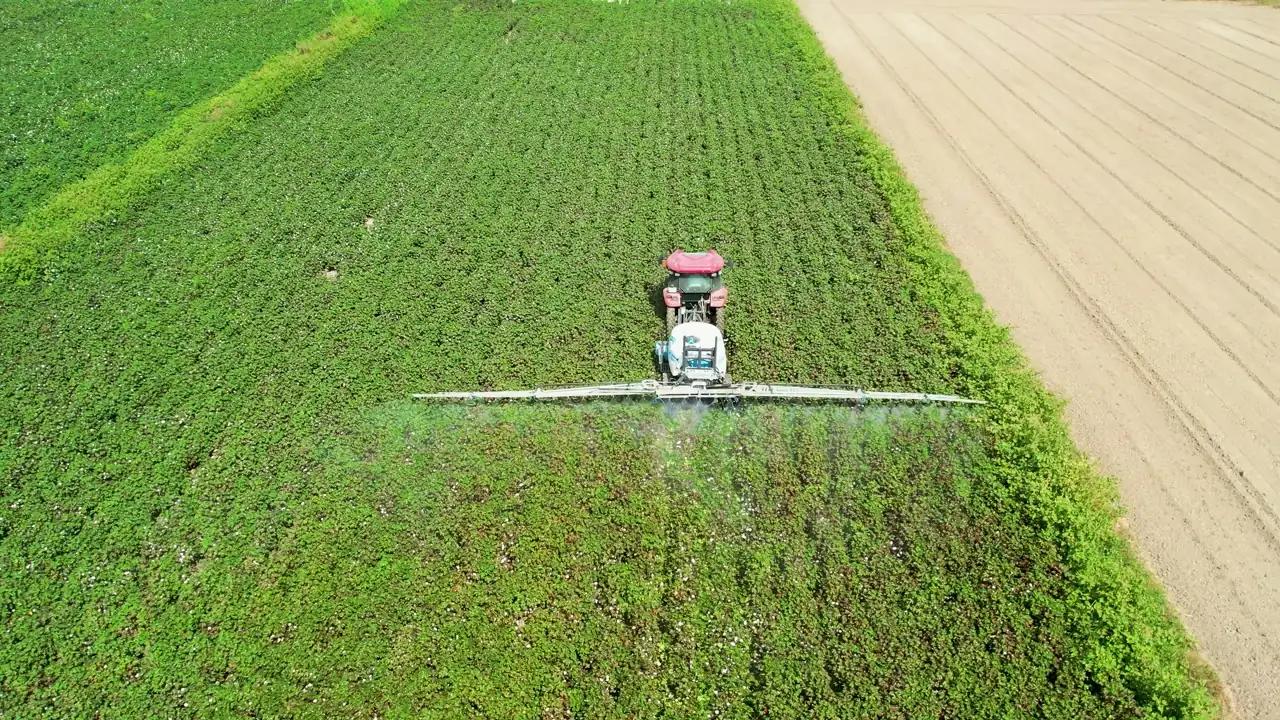
Machine files
From computer to machine, with a USB stick
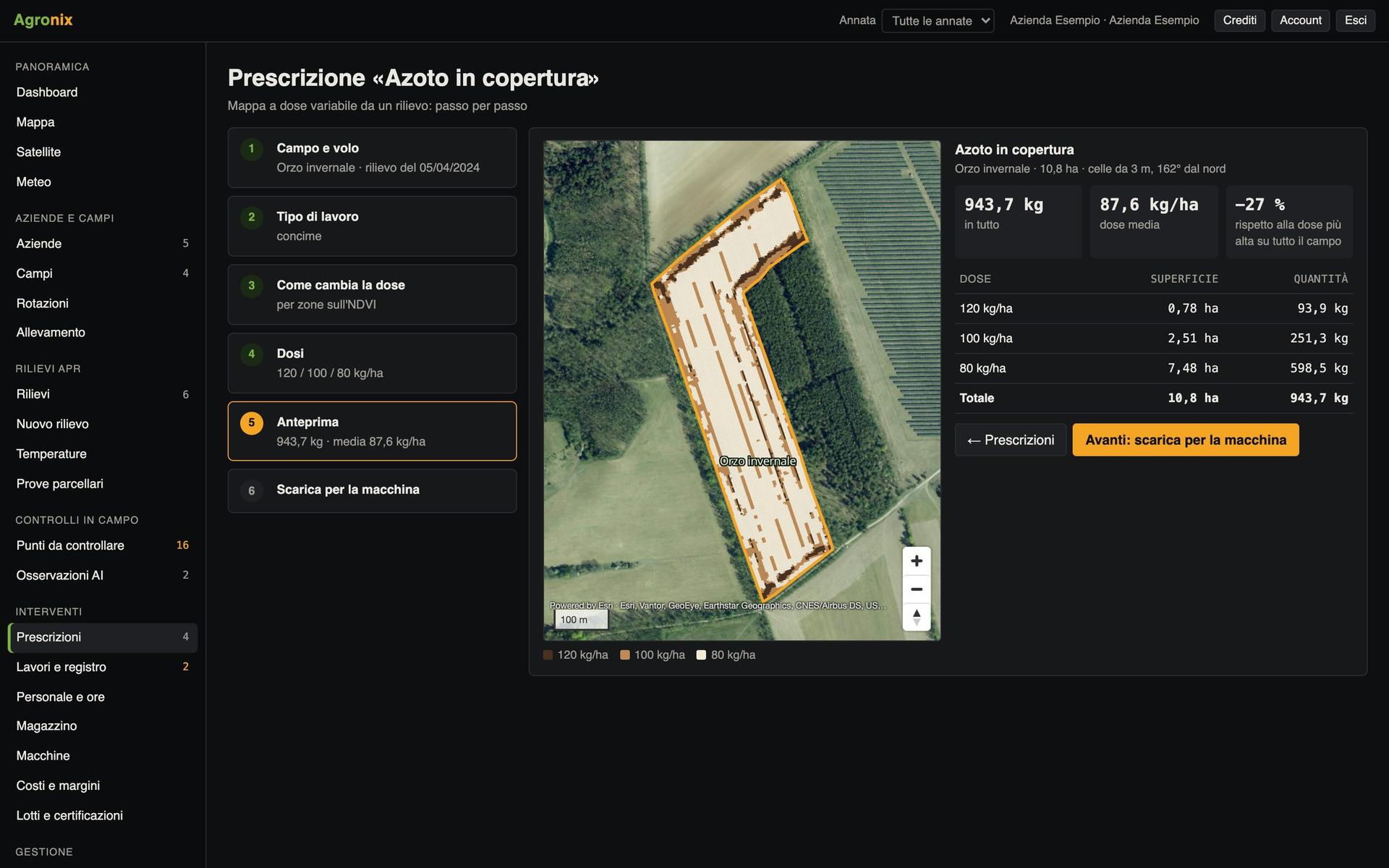
One click and the prescription comes out in the right format for the spraying drone, ISOBUS terminals and the most common tractor terminals, with folders ready.
A prescription is only useful if the machine reads it. Every terminal wants its own format and folders, and a mistake is discovered in the field. Agronix prepares the file for each machine with the structure the terminal expects and a README with the steps on the monitor; the field boundary and AB line can go with the prescription. After the work, the terminal file comes back into Agronix and becomes records.
Choose the machine, download the file
The «Download» panel offers eight outputs: the folder for the spraying drone's microSD card, ISOBUS TASKDATA also in the version for older terminals, folders for the most common tractor terminals, shapefile for other terminals and the PDF sheet to print or sign. The prescription is marked as downloaded.
- microSD card for the spraying drone
- ISOBUS TASKDATA, older terminals included
- README with the steps on the monitor
The terminal writes the records
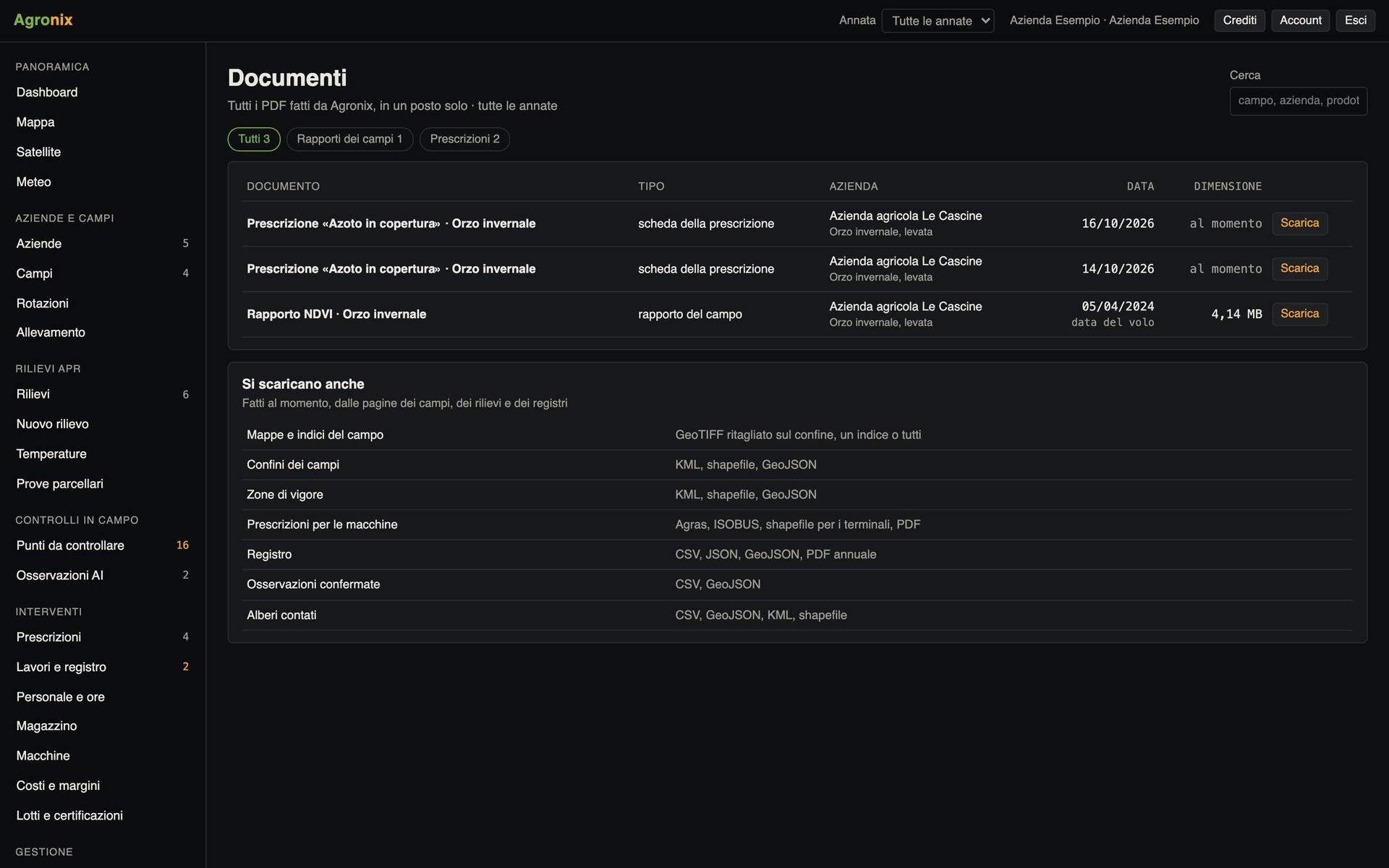
When the work is done, upload the terminal file: ISOBUS TASKDATA or as-applied shapefile. Agronix reads area, target rate and applied rate, converts units and prepares the draft treatment or seeding in the records, to check and confirm.
- Target and applied rate
- Units converted to L/ha, kg/ha and seeds/ha
- Draft in the records to confirm
Screens with example data.
How it works
- 01
Open the prescription
From the list or the last creation step.
- 02
Choose the machine
Spraying drone, ISOBUS or manufacturer terminal.
- 03
Copy to the stick
The folders are already the right ones.
- 04
Upload the work done
The terminal file becomes records.
In detail
The first time a terminal is used, check rates and total on the monitor before starting: every file has its README with the steps.
- Spraying drone
- microSD folder, also for orchard operations.
- ISOBUS
- TASKDATA ISOXML version 4 and version 3; boundaries and AB line.
- Other formats
- Shapefile in the folders of the most common terminals or for other terminals, PDF.
- Return
- TASKDATA with TimeLog or as-applied shapefile.
Related features
Want to see it on your fields?
An Agronix demo with your farm's data, from survey to records.